
Years ago, hiring technical programmers to develop websites was required. Businesses were forced to outsource to graphic designers, website consultants and few saw the power in personal branding. People that couldn’t afford these services lost the opportunity to showcase their personal brand online or even a new e-commerce website. The words “JavaScript”, “HTML”, “Pearl”, “C++” and “Visual Basic” confused the majority and came naturally to the minority.
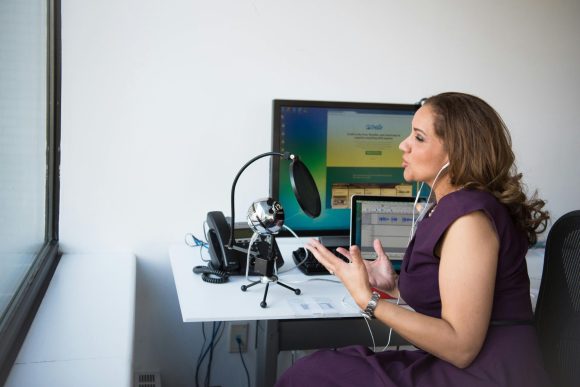
Today, thanks to technological advancements in web software, platforms and overall development, not only can everyone have their own website in seconds, but they can have a voice. Podcasting has emerged as a great way to demonstrate your talents or create buzz. For all of you that don’t have a website, a podcast or a clue on how to step into this new world of freedom, expression and opportunity, here is the equipment you’ll need:
Website Equipment
For Blogs
- Wordpress.com – This blog is crafted and hosted on wordpress.com, which is a free hosting site that provides you with all the tools to jump start your blog in seconds. All you have to do is register your blog, choose a template, configure your widgets, add links to your blogroll and write your first entry.
- Wordpress.org – Instead of letting wordpress host your blog, you can register your domain at Godaddy.com for $6.95 (Promo code = OYH3). After purchasing your domain and space on their system (Promo code = BTPS7 to save 20%), you can upload the wordpress.com template you choose to the server via FTP. Once you complete that, it’s the same functionality of wordpress.com.
- TypePad – I rarely recommend this platform, but I have a lot of friends that use it and Seth Godin uses it. Basically, it will cost you $50 a year for a single blog, but the templates and format are professional, easy to update and manipulate comments.
Podcasting Equipment
- Digital Video Camera – For just over $300, you can purchase your own Sony video camera, that also takes stills. I had a GE camera and let me tell you, Sony’s brand is worth the extra money.
- Microphone – $10 can get you your own microphone. Plug the microphone into your digital video camera and you’re ready to start recording interviews, whether your in a public or private area.
- Video Editing Software – Vegas Movie Studio by Sony is a $90 application that let’s you create custom podcasts. You can see the wavelengths and video, and add in graphics and animations over video.
- Additional – Some podcasters use amplifiers or synthesizers, but for the beginner these are just extra and require some technical know-how.
- YouTube.com – Once you have a file in .wmv format, you can upload that file (under 10 minutes) to YouTube. Decide to share it with the public or just your friends and embed the video on your blog or website for further exposure.
Build your brand online by leveraging the power of these tools. No longer will you have to rely on others to engineer a website or a podcast. The future and your brand lies in your hands!